
When customers search for businesses near them, Google often becomes the first place they look for information. Whether someone wants to find a photographer, restaurant, digital marketing agency, healthcare provider, or retail shop, they frequently turn to Google Search or Google Maps to discover nearby options, compare reviews, check opening hours, and decide which business to contact.
For businesses that depend on local customers, appearing in these search results can make a significant difference. However, having a website alone does not guarantee that potential customers will discover a business when searching locally. This is where Google Business Profile becomes essential.
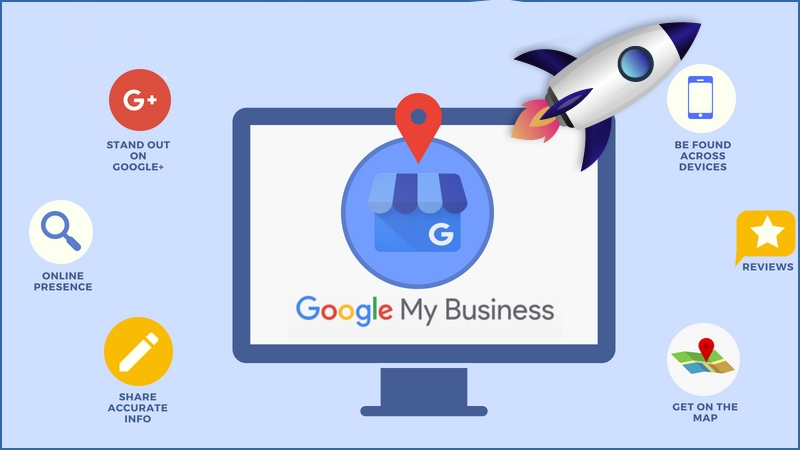
Previously known as Google My Business, Google Business Profile is a free tool that enables eligible businesses to manage how they appear across Google Search and Google Maps. Through this platform, business owners can provide important information, showcase products and services, collect customer reviews, publish updates, and help potential customers make informed decisions.
However, simply creating a profile is not enough. To achieve meaningful results, businesses must keep their information accurate, maintain a strong reputation, select appropriate business categories, and understand how local search rankings work.
Furthermore, as artificial intelligence continues to influence search experiences, maintaining accurate business information and building a trustworthy online presence are becoming increasingly important. Customers may discover businesses through traditional local results, map listings, or AI-assisted recommendations. Therefore, a well-maintained Google Business Profile can support a broader digital marketing strategy.
This guide explains what Google Business Profile is, how it works, how to set it up, and how to optimize it for local search visibility, customer engagement, and business growth.
What Is Google Business Profile?
Google Business Profile, formerly called Google My Business, is a platform that allows businesses to manage their public business information on Google Search and Google Maps.
When someone searches for a company by name, Google may display a business profile containing its address, telephone number, website, opening hours, customer reviews, photographs, and other relevant information. For eligible businesses, the profile may also display products, services, booking options, menus, or other features depending on the business category and region.
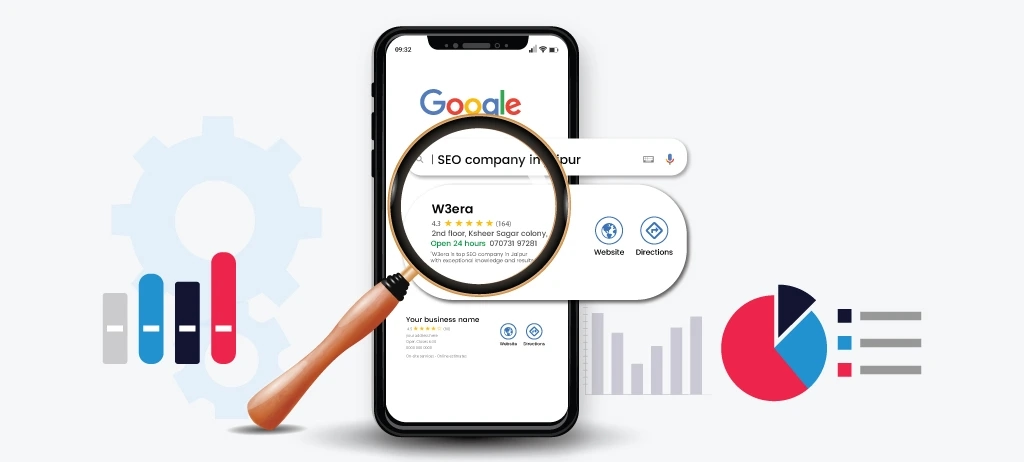
For example, when a potential customer searches for a photography studio in Lagos, Google may display relevant businesses on a map alongside information that helps the customer compare their options.
This creates an important opportunity for local businesses. Rather than relying entirely on customers visiting their websites, businesses can communicate essential information directly within Google’s search environment.
Moreover, a Business Profile can support different stages of the customer journey. Someone discovering a business for the first time can learn about its services, while an existing customer can quickly obtain directions, check opening hours, or contact the business.
The platform is particularly valuable for businesses that serve customers at a physical location or travel to customers to provide services. However, eligibility depends on Google’s guidelines. Online-only businesses that do not meet its requirements for in-person customer contact generally cannot maintain a standard Business Profile.
Why Google Business Profile Matters for Local SEO
Local search engine optimization focuses on improving a business’s visibility when people search for relevant products or services in a particular geographical area.
For example, a user might search for “photography studio near me,” “web designer in Lagos,” or “plumber in Ikeja.” Google uses several factors to determine which local businesses to display.
According to Google, local results are primarily influenced by relevance, distance, and prominence. Relevance describes how well a business matches the search. Distance considers how far the business is from the searcher’s location or the location specified in the query. Prominence reflects how well known the business is, drawing on information such as links, reviews, and other signals.
Consequently, businesses cannot guarantee the top position simply by completing their profiles. A nearby competitor may appear higher because its location is more relevant to the search, its profile better matches the customer’s needs, or it has stronger prominence signals.
Nevertheless, maintaining a complete and accurate profile helps Google understand what a business offers and when it may be relevant to a local search.
Furthermore, Google Business Profile supports customer trust. When potential customers can verify opening hours, browse genuine photographs, read reviews, and find contact details easily, they have more information available before making a decision.
Therefore, local SEO should not be treated merely as a ranking exercise. It should also focus on making a business easier to discover, evaluate, and contact.
How to Create and Verify a Google Business Profile
Creating a Google Business Profile is relatively straightforward, although the exact verification process may vary depending on the business and Google’s available verification methods.
Begin by visiting the official Google Business Profile website and signing in with the Google account you intend to use to manage the business. Search for the business to determine whether a profile already exists. If a listing is available, you may need to claim it or request ownership rather than create another one.

If the business does not have a profile, follow Google’s setup process and enter the official business name. Make sure the name matches how the business is genuinely represented to customers. Adding extra keywords, locations, or promotional phrases to the business name simply to improve rankings can violate Google’s guidelines and potentially result in suspension.
Google Business Profile Help+1
Next, select the appropriate business category and provide the location or service-area information. A business with a customer-facing studio or shop may display its address, provided it meets Google’s eligibility requirements. Conversely, a service-area business that travels to customers should generally hide its residential or operational address if customers are not served there.
After entering the required information, complete the verification method Google offers. Depending on the circumstances, verification may involve video, telephone, email, or another available method. You cannot necessarily choose whichever method you prefer, because Google determines which options are available.
Verification is important because it establishes that you are authorized to manage the profile. Once verified, you can manage eligible business information, respond to reviews, upload photographs, and access available performance reporting features.
Google Business Profile Help+1
Optimizing Your Business Information for Local Search
After verification, the next step is optimization. A complete profile gives potential customers a clearer picture of your business while helping Google understand its relevance to different searches.
Start with your business description. Explain what the business does, who it serves, what makes its services valuable, and which areas of expertise distinguish it from competitors. For instance, a photography studio could explain the types of photography it provides, its intended customers, and the experience clients can expect.
However, the description should sound natural rather than like a collection of keywords. Google does not allow links or certain promotional content in the business description, so use this space to explain the business rather than advertise temporary discounts.
Google Business Profile Help
Next, review your primary and additional categories. Your primary category should represent the business’s main activity as accurately as possible. Additional categories should be used selectively when they genuinely describe the business. Choosing every vaguely related category can create confusion rather than improve relevance.
Business hours also deserve careful attention. Incorrect hours can frustrate customers and damage trust, particularly when someone travels to a location that is unexpectedly closed. Therefore, update regular hours and special holiday hours whenever necessary.
Similarly, verify your telephone number, website, address, and service areas. These details should be consistent with the business’s actual operations and official online presence.
The Role of Photos, Videos, and Business Updates
Visual content can help customers understand what a business offers before contacting it. Therefore, photographs and videos should form part of your ongoing profile management strategy.
For example, a photography studio can showcase its studio space, portrait sessions, family photography, maternity sessions, product photography, and branding projects. A restaurant can display its menu items and dining environment, while a retail store can feature its products and premises.

The important consideration is authenticity. Use clear, relevant photographs that represent the real business and its services. Avoid misleading images or photographs that create expectations the business cannot meet.
Furthermore, keep visual content current. If your premises change, you introduce new services, or your products evolve, update the profile accordingly.
Google may also make posting features available to share business updates, offers, events, and announcements. Where available, these features can help communicate relevant information to customers who discover the profile. Nevertheless, posting frequently should not replace more fundamental work such as maintaining accurate information, collecting genuine reviews, and improving the website.
How Google Reviews Influence Local SEO
Customer reviews are important because they influence both consumer decisions and local business prominence.
When potential customers compare businesses, reviews provide evidence of other people’s experiences. A detailed review describing a successful project, helpful customer service, or reliable delivery can communicate more than a star rating alone.
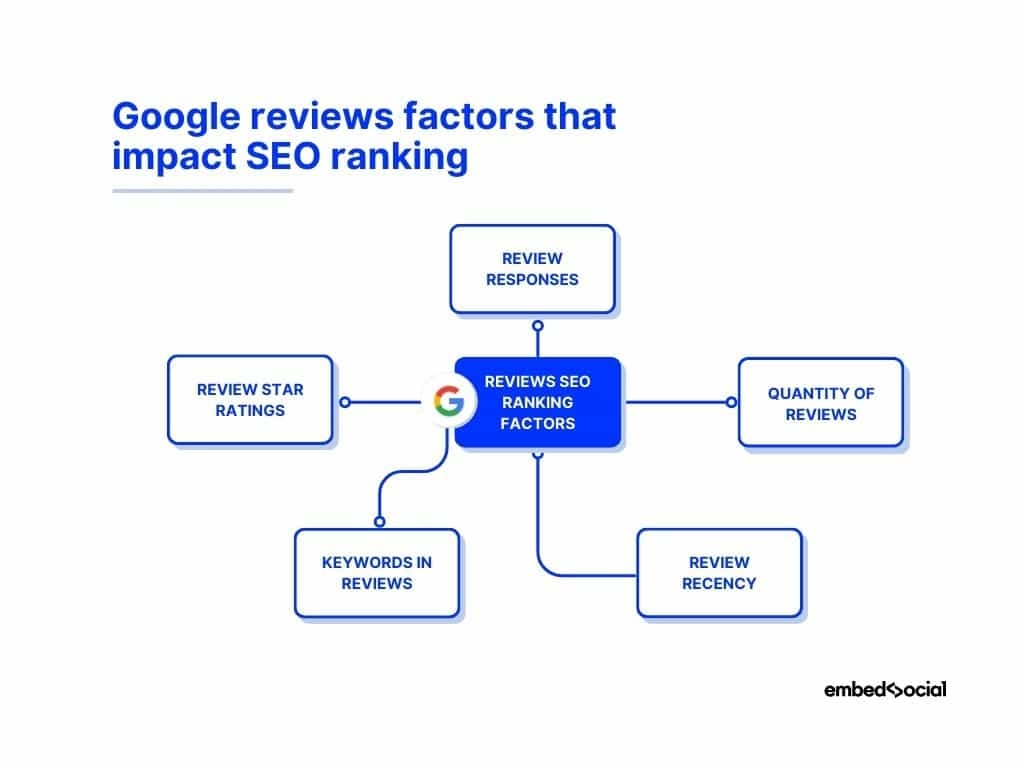
Google also explains that review quantity and positive ratings can contribute to local prominence. However, reviews are not the only ranking factor, and they do not guarantee a particular position.
Google Business Profile Help
Therefore, businesses should establish a consistent process for inviting genuine customers to share feedback. After completing a project or providing a service, you can send customers a polite request with a direct link to the review page.
Importantly, do not buy reviews, fabricate customer experiences, or offer incentives in exchange for positive ratings. Instead, encourage honest feedback and respond professionally to both positive and negative comments.
When responding to criticism, acknowledge the customer’s concern and explain how the business intends to address the issue where appropriate. Avoid revealing private customer information or becoming argumentative.
Over time, consistent review management can strengthen customer confidence, reveal recurring service problems, and help businesses understand which aspects of their offering customers value most.
Connecting Google Business Profile With Your Website
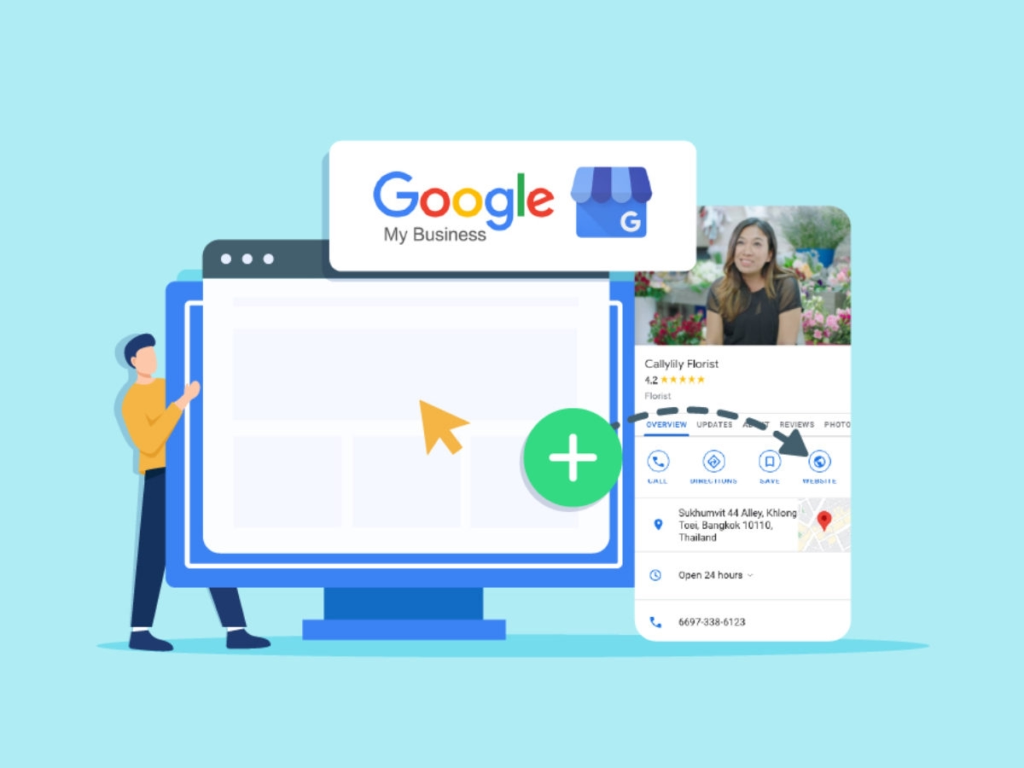
Although Google Business Profile can generate discovery independently, it becomes more effective when integrated with a well-optimized website.
Your website should communicate the same business identity, contact information, services, and location details that appear on your profile. This consistency helps customers verify that they have found the correct business.
Furthermore, create useful service pages that explain what you offer in detail. A web development company, for example, may have separate pages for WordPress development, website maintenance, technical SEO, and local SEO services.
For businesses serving specific geographical areas, relevant location information can also help customers understand where services are available. However, avoid creating numerous nearly identical location pages simply to target different neighbourhood keywords.
You should also ensure that your website is mobile-friendly, loads efficiently, uses HTTPS, and makes it easy for visitors to contact the business.
Where appropriate, implement relevant structured data, such as LocalBusiness or a more specific supported subtype. This can help Google interpret business details on your website, although structured data does not guarantee enhanced search features or higher rankings. Google provides further guidance in its documentation on establishing business details in Search.
Google for Developers
How to Measure Google Business Profile Performance
An effective local SEO strategy depends on measurement. Without performance data, it becomes difficult to determine whether profile improvements are attracting relevant customers.
Google Business Profile provides performance information for eligible profiles, although the available metrics and reporting options may vary. Depending on the profile and reporting period, you may be able to examine how customers discover the business and interact with its listing.
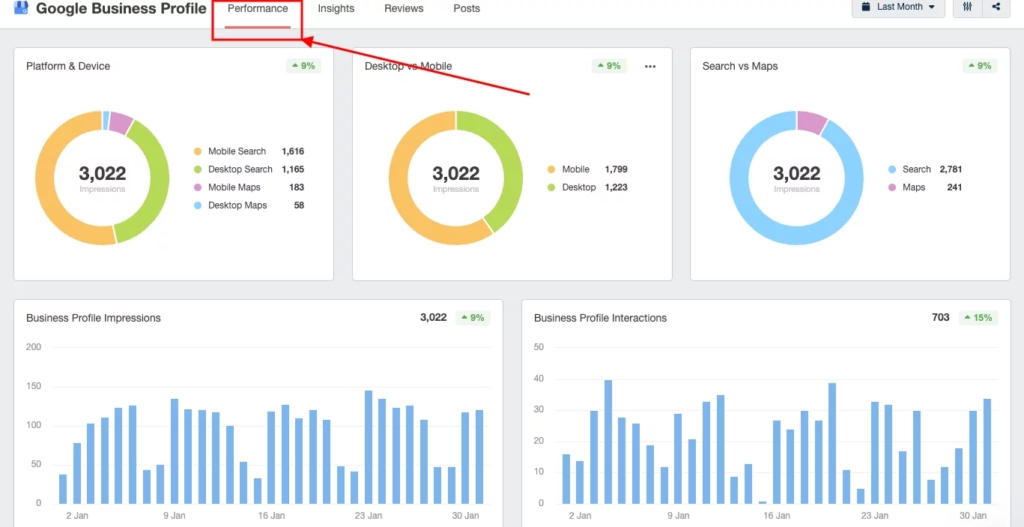
For example, search visibility can help you understand whether people are finding the business through relevant discovery queries or searches for its name. Website clicks can indicate interest in learning more about your services, while calls and direction requests can provide clues about customer intent.
However, these metrics should be interpreted in context. An increase in profile views does not automatically mean an increase in revenue. Similarly, a reduction in calls might reflect seasonal demand, changes in opening hours, or a shift in how customers contact the business.
Consequently, connect profile performance with website analytics, enquiry records, booking data, and sales outcomes whenever possible.
You can also use UTM parameters on your website link, where supported, to distinguish traffic originating from your Business Profile in analytics tools such as Google Analytics 4. This helps you evaluate the quality of profile-driven website visits more accurately.
Over time, these insights can help you determine which services attract attention, which customer actions are increasing, and where further optimization may be necessary.
Google Business Profile and AI Search
Artificial intelligence is changing how people discover and evaluate businesses. Users may ask AI-powered search systems to recommend a nearby service provider, compare local businesses, or identify companies with specific capabilities.
In this environment, accurate business information becomes particularly valuable.
When your website, Business Profile, and other credible online sources consistently describe your services, location, expertise, and identity, you create a clearer digital presence. That clarity can help search systems interpret your business correctly.
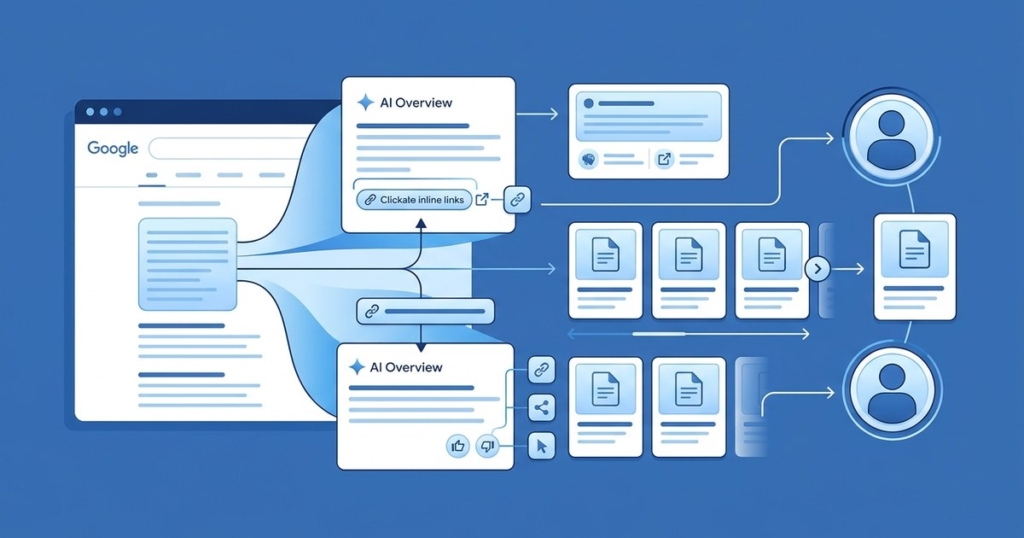
However, maintaining a Google Business Profile does not guarantee inclusion in AI-generated recommendations. AI systems use different sources and processes, and visibility varies according to the query, location, available information, and search experience.
Therefore, businesses should combine accurate profile information with useful website content, credible reviews, relevant industry mentions, and a strong reputation.
The objective is to establish a reliable and consistent online identity that helps both customers and search systems understand what your business does and why it may be relevant.
Common Google Business Profile Mistakes to Avoid
One frequent mistake is creating duplicate profiles for the same business location. Duplicates can confuse customers and complicate management, so check for existing listings before creating a new one.
Another mistake is using an inaccurate business name or adding keywords that are not part of the business’s real-world name. Although this may appear to offer a quick SEO advantage, it can violate Google’s guidelines.
Businesses also sometimes select inappropriate categories, leave their opening hours outdated, ignore customer reviews, or upload photographs that no longer represent their premises or services.
In addition, some owners create a profile using an address where they do not actually operate. Virtual offices and mailbox addresses do not automatically qualify a business for a profile. Eligibility depends on Google’s rules concerning genuine in-person customer contact and the nature of the business.
Google Business Profile Help+1
Finally, never assume that creating a profile alone will guarantee top rankings. Google explicitly states that businesses cannot request or pay for a better local organic ranking. Sustainable improvements require accurate information, relevance, genuine prominence, and a positive customer experience.
Google Business Profile Help
Google Business Profile remains an important tool for businesses seeking to improve local visibility, build trust, and attract customers through Google Search and Google Maps.
Although the platform was previously known as Google My Business, its purpose remains closely connected to a fundamental marketing objective: helping customers discover accurate information about businesses when they need particular products or services.
However, creating a profile is only the beginning. Long-term results depend on maintaining accurate business information, selecting appropriate categories, showcasing authentic photographs, responding to reviews, connecting the profile with a useful website, and measuring customer interactions.
Furthermore, as AI-powered search continues to evolve, a consistent and credible digital identity can support a broader strategy for online discovery.
Ultimately, the most effective approach is to treat Google Business Profile as an ongoing business asset rather than a one-time setup task. By keeping the profile accurate, responding to customer feedback, and continuously improving the customer experience, businesses can strengthen their local search presence and make it easier for potential customers to choose them with confidence.
